> ## Documentation Index
> Fetch the complete documentation index at: https://docs.cysmiq.com/llms.txt
> Use this file to discover all available pages before exploring further.
# Ask Shift
> Ask Shift to explain a vulnerability, answer follow-up questions, and suggest a focused remediation.
Shift is Cysmiq's AI security assistant. It works inside each vulnerability conversation and uses the available finding evidence to help you understand and remediate the issue.
Shift responses are generated for the current finding and may vary. Review suggested changes before applying them.
## Prerequisites
* A vulnerability you can access
* Permission to add comments to the vulnerability
## Steps
Open the vulnerability and review its **Overview**, affected **Locations**, and **Analysis** when available. Understand the vulnerable behavior and available exploitability evidence before asking for a remediation.
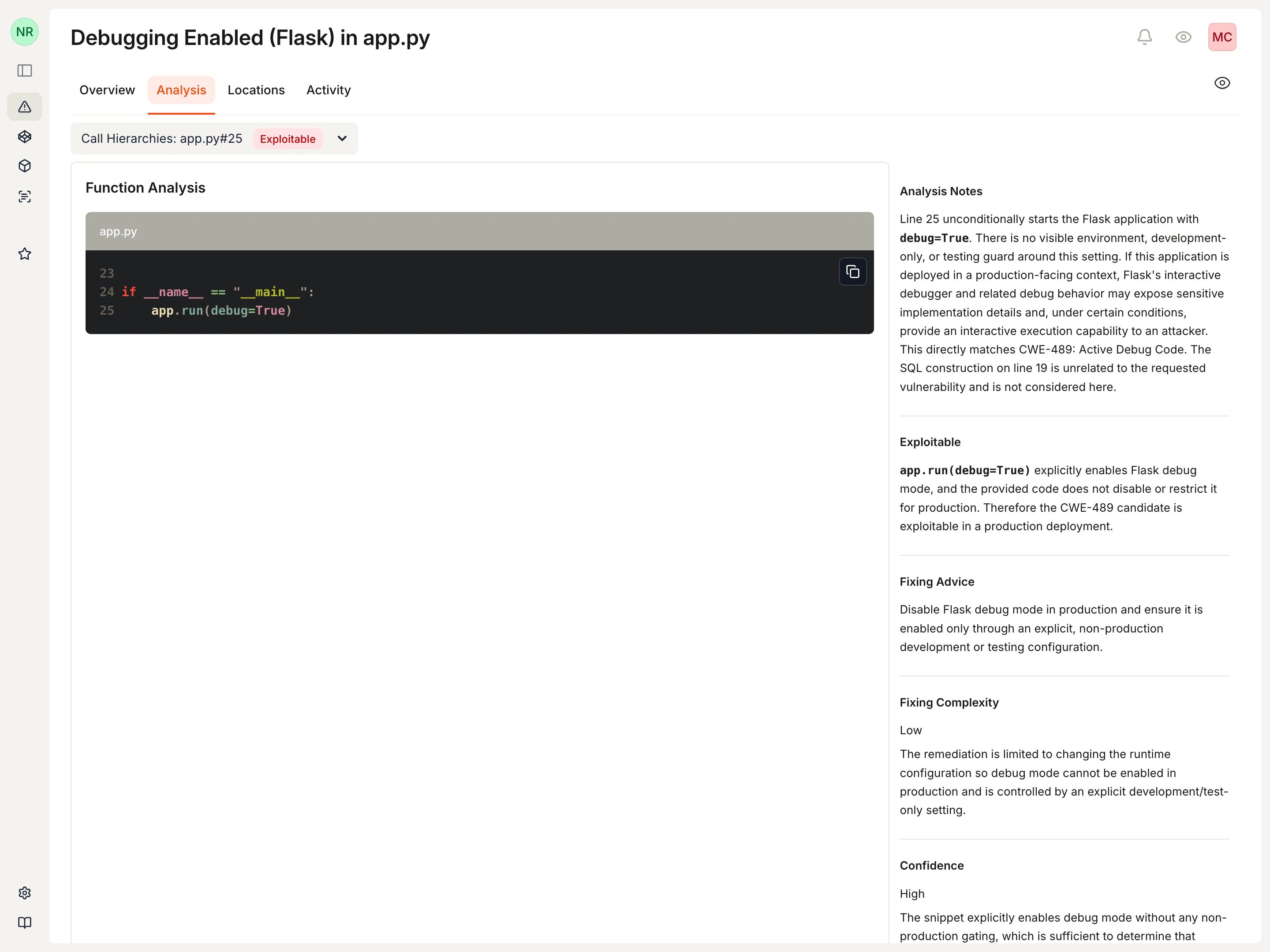 See [Vulnerability detail view](/vulnerability-management/vulnerability-detail-view) for the information available on each tab.
In the conversation, select **Explain this further**. Cysmiq inserts an `@Shift` prompt into the comment field without sending it. Edit the question to focus on the evidence or remediation detail you need, then send it.
See [Vulnerability detail view](/vulnerability-management/vulnerability-detail-view) for the information available on each tab.
In the conversation, select **Explain this further**. Cysmiq inserts an `@Shift` prompt into the comment field without sending it. Edit the question to focus on the evidence or remediation detail you need, then send it.
 You can also start with an empty comment and mention `@Shift` directly.
Ask the question in the language your team uses. Shift replies in the language of your latest message unless you request another language.
You can also start with an empty comment and mention `@Shift` directly.
Ask the question in the language your team uses. Shift replies in the language of your latest message unless you request another language.
 Continue the conversation when you need a simpler explanation, a narrower answer, or clarification about specific evidence.
Select **Generate a fix** to insert a remediation request. Edit the prompt when you need to add repository constraints, preferred patterns, or a narrower scope.
Shift uses context appropriate to the finding:
* **Code vulnerabilities**: relevant source and analysis context when available
* **Dependency vulnerabilities**: package, version, manifest, and advisory details
* **Secrets**: location and available secret evidence
Continue the conversation when you need a simpler explanation, a narrower answer, or clarification about specific evidence.
Select **Generate a fix** to insert a remediation request. Edit the prompt when you need to add repository constraints, preferred patterns, or a narrower scope.
Shift uses context appropriate to the finding:
* **Code vulnerabilities**: relevant source and analysis context when available
* **Dependency vulnerabilities**: package, version, manifest, and advisory details
* **Secrets**: location and available secret evidence
 Treat the response as a proposed remediation. Before applying it:
* Confirm that it addresses the vulnerable behavior and cited evidence
* Check that referenced files, packages, and advisory details match the repository
* Adapt the change to the repository's conventions and deployment model
* Review the resulting diff and run the relevant tests
* Push the change and confirm the follow-up scan resolves the finding
See [Fix your first vulnerability](/guides/first-value) for the complete remediation and verification loop.
## Related documentation
* [AI assistant (Shift)](/vulnerability-management/ai-assistant)
* [Triage vulnerabilities](/guides/triage-vulnerabilities)
* [Vulnerability detail view](/vulnerability-management/vulnerability-detail-view)
Treat the response as a proposed remediation. Before applying it:
* Confirm that it addresses the vulnerable behavior and cited evidence
* Check that referenced files, packages, and advisory details match the repository
* Adapt the change to the repository's conventions and deployment model
* Review the resulting diff and run the relevant tests
* Push the change and confirm the follow-up scan resolves the finding
See [Fix your first vulnerability](/guides/first-value) for the complete remediation and verification loop.
## Related documentation
* [AI assistant (Shift)](/vulnerability-management/ai-assistant)
* [Triage vulnerabilities](/guides/triage-vulnerabilities)
* [Vulnerability detail view](/vulnerability-management/vulnerability-detail-view)