This quickstart walks you through creating a Cysmiq account and your first workspace. You will finish with an empty workspace that is ready for a VCS connection.
Enter your details, accept the terms, and create your account.
Create your account with email and password.
Verify your email address to continue.
Verify your email address to finish signup.
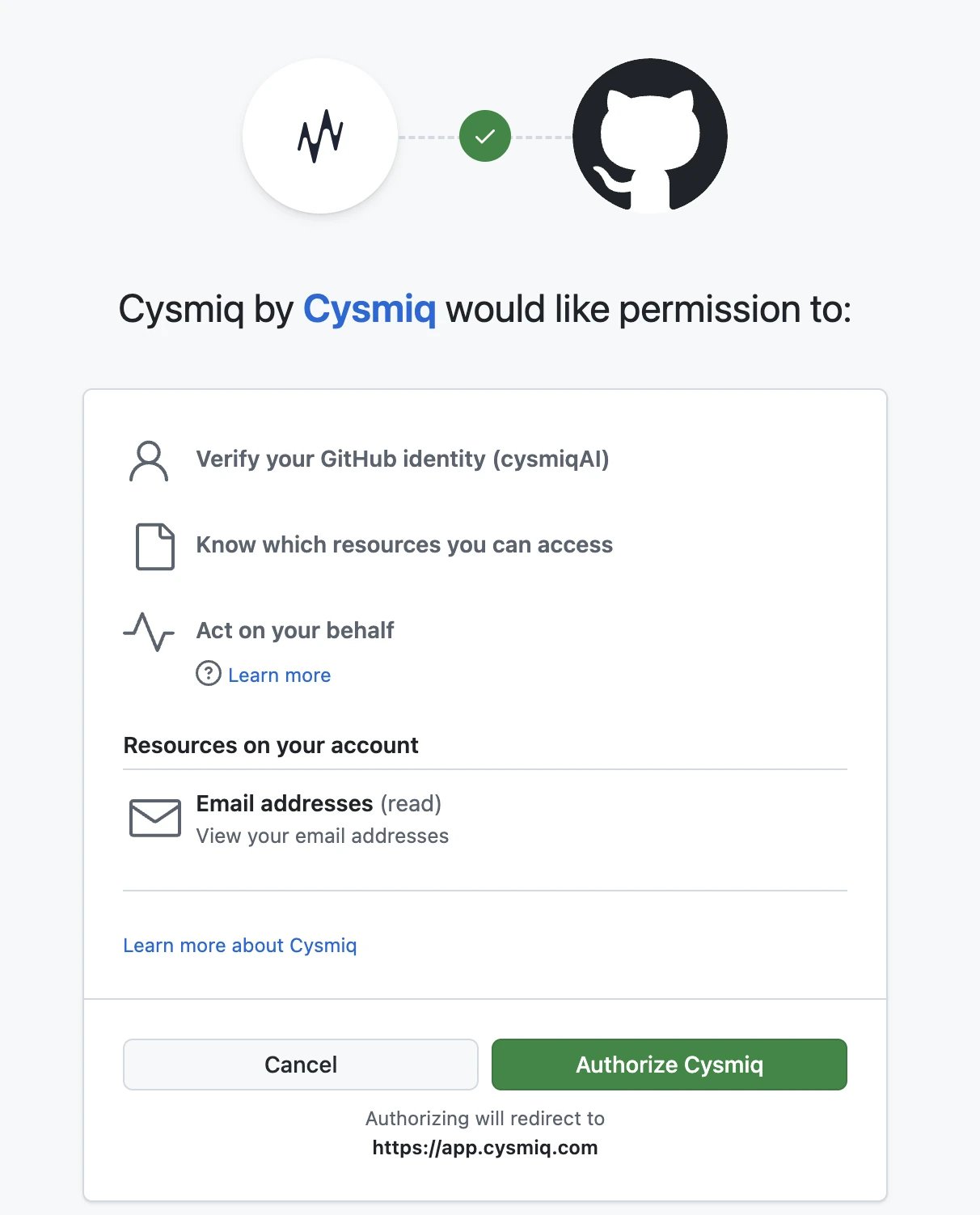
Select GitHub and authorize Cysmiq.
Authorize Cysmiq in GitHub.
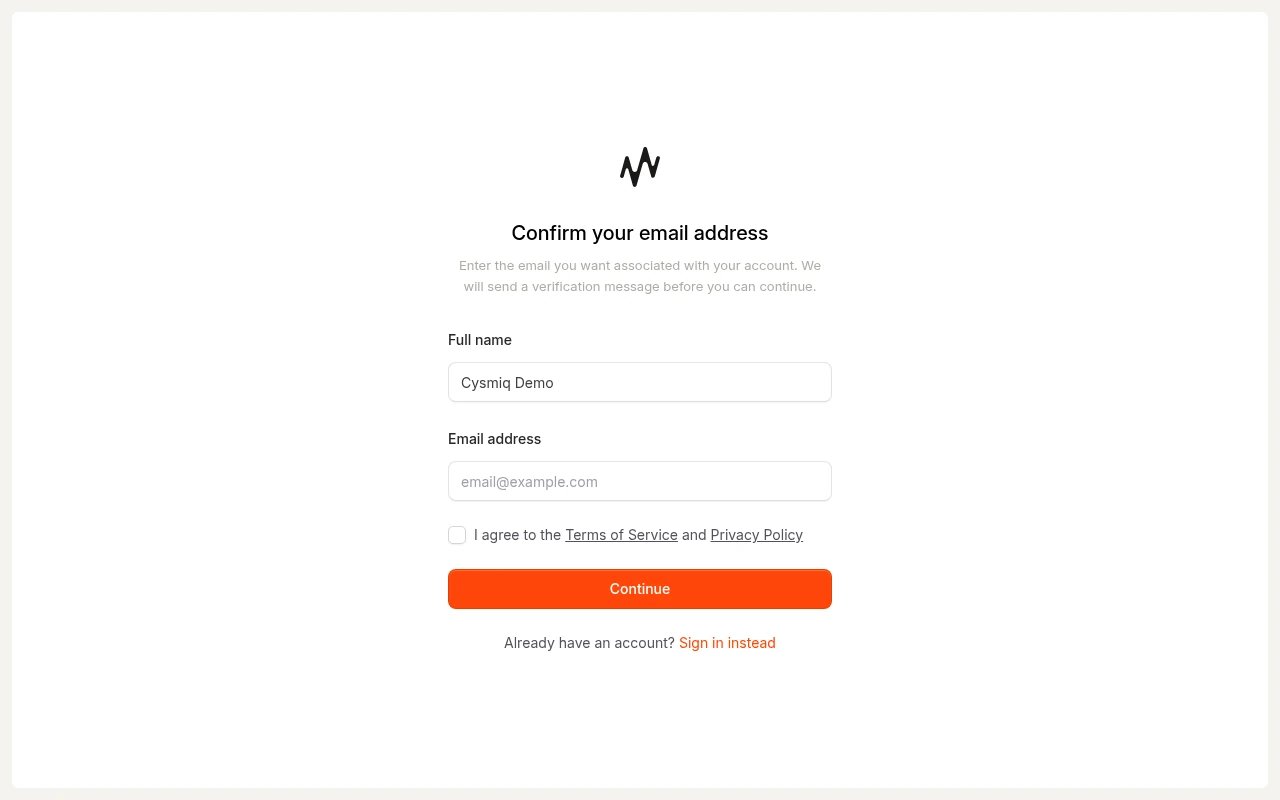
Confirm the email address for your account and accept the terms.
Confirm your email address for Cysmiq.
Verify your email address to continue.
Verify your email address to finish signup.
2
Create your first workspace
After you sign in, you land on the Workspaces page. If you already have a workspace, you can open it. For this quickstart, select Create a new workspace.
Workspaces list with an option to create a new workspace.
Enter a workspace and organization name.
Fill in the details and create the workspace.
Example workspace details before submission.
Cysmiq opens your new workspace on the Vulnerabilities page.
A new workspace starts empty until you connect a VCS.
3
Connect your code
Your workspace is ready. Connect a version control system to start scanning repositories. Cysmiq supports GitHub, GitHub Enterprise, and GitLab.Next, follow the Connect a VCS guide.
Was this page helpful?
Assistant
Responses are generated using AI and may contain mistakes.