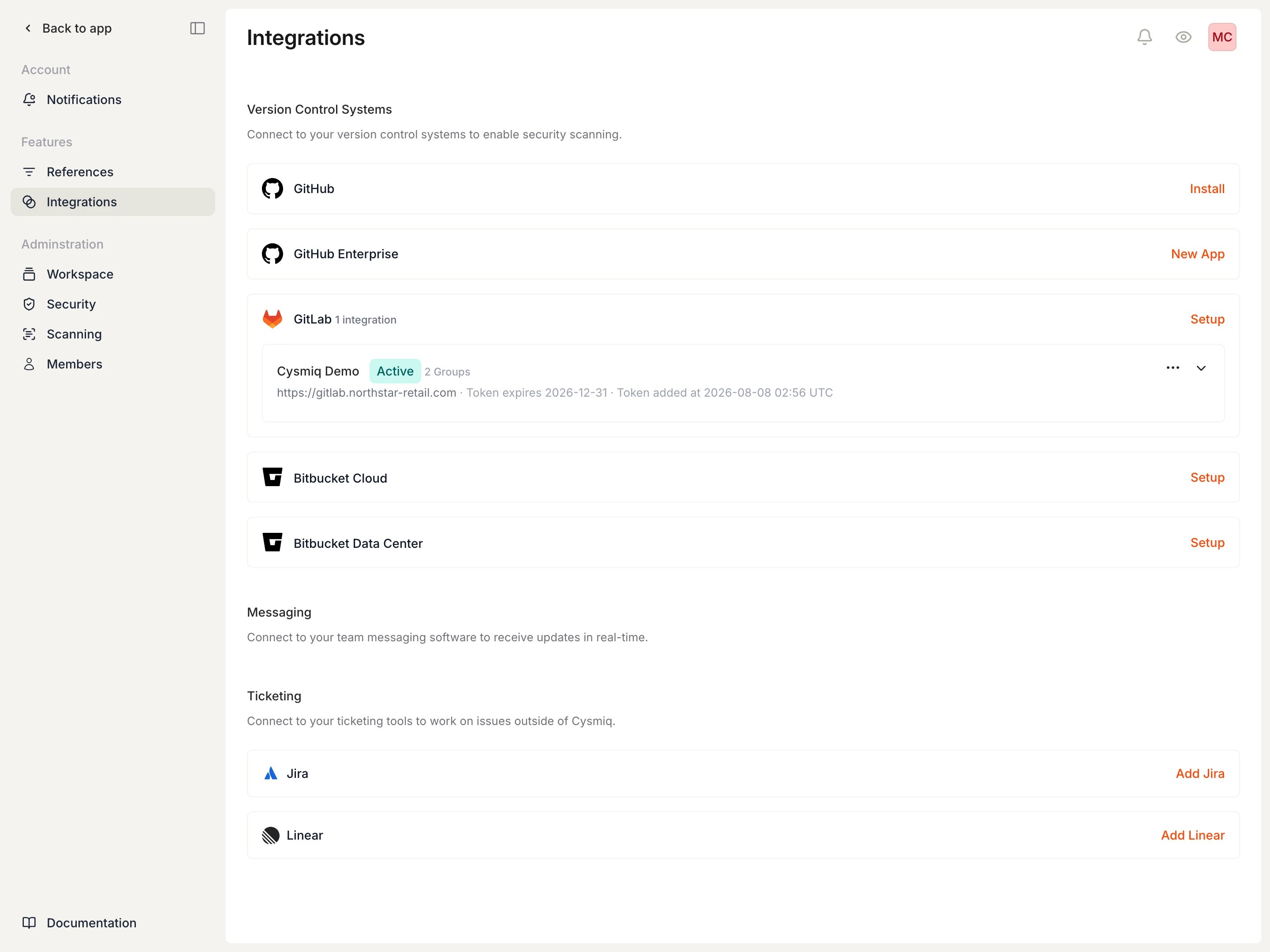
Connecting a version control system is the first step to onboarding repositories. Once connected, Cysmiq discovers repositories and begins scanning automatically. This guide walks through GitHub Cloud, GitHub Enterprise, GitLab, and Bitbucket Cloud.
From your workspace, open Settings and select Integrations.
Integrations lists available version control system connections.
2
Connect your VCS
GitHub Cloud
GitHub Enterprise
GitLab
Bitbucket Cloud
Prerequisites:
Organization owner access or admin access for the account you plan to connect
Select Install for GitHub, then choose All repositories or Only select repositories. Confirm the permissions and select Install & Authorize.
Authorize the Cysmiq GitHub App and choose repository access.
Prerequisites:
Admin access to create a GitHub App on your GitHub Enterprise Server instance
Select New App for GitHub Enterprise to begin connecting your self-hosted GitHub instance.
Enter your GitHub Enterprise Server URL.
Enter your GitHub Enterprise Server URL and select Verify Host. Enable Skip SSL certificate verification only if your server uses a self-signed certificate.
Host verified, ready to create the GitHub App.
Select Create Application. You’ll be redirected to your GitHub Enterprise Server to confirm the app name.
Confirm the GitHub App name on your GitHub Enterprise Server.
After creating the app, you’ll return to Cysmiq. The app is created but not yet installed on any organizations. Select Get started to install the app.
App created but needs to be installed on organizations.
Choose the account or organizations where you want to install the app, then review the permissions and select Install & Authorize.
Review permissions before authorizing the installation.
Prerequisites:
Group owner access and a personal access token with the api scope
Select Setup for GitLab, then create a GitLab personal access token with the api scope. For help generating a token, see GitLab’s documentation.
Start the GitLab setup in Cysmiq.
Enter your GitLab host, such as https://gitlab.com or your self-managed domain, and the personal access token, then select Save Changes.Enable Skip SSL certificate verification only if your self-managed GitLab uses a self-signed certificate.
GitLab host and token added to the setup form.
Prerequisites:
Workspace admin access in Bitbucket Cloud
A workspace access token with the required scopes
Create a workspace access token in Bitbucket Cloud with these scopes:
Account: Read
Projects: Read
Repositories: Read
Repositories: Write
Pull requests: Read
Pull requests: Write
Webhooks: Read and write
Select Setup for Bitbucket Cloud.
Enter your Bitbucket Cloud workspace details.
Enter your workspace slug and workspace access token, then select Save Changes.
Workspace slug and token added to the setup form.
3
Verify the connection
GitHub Cloud
GitHub Enterprise
GitLab
Bitbucket Cloud
After authorization, return to Integrations to confirm GitHub is connected.
GitHub shows as connected in Cysmiq.
Open Assets then Organizations to verify the GitHub organization appears as active.
Organizations list shows the connected GitHub account.
After authorization, you’ll return to Cysmiq. The GitHub Enterprise integration now shows the connected organization.
GitHub Enterprise shows as connected with an organization.
Open Assets then Organizations to verify the GitHub Enterprise organization appears as active.
Return to Integrations to confirm GitLab is connected.
GitLab shows as connected in Cysmiq.
Open Assets then Organizations to verify the GitLab group appears as active.
Organizations list shows the connected GitLab group.
Return to Integrations to confirm Bitbucket Cloud is connected.
Bitbucket Cloud shows as connected in Cysmiq.
4
Confirm scans are running
GitHub Cloud
GitHub Enterprise
GitLab
Bitbucket Cloud
Navigate to Scans to confirm that Cysmiq started scanning your repositories.
A repository scan appears after the integration is connected.
Navigate to Scans to confirm that Cysmiq started scanning your repositories. Cysmiq queues scans automatically for all repositories in the connected organizations.
Cysmiq queues scans automatically for all repositories in the connected GitLab group.
Cysmiq queues scans automatically for repositories in the connected Bitbucket workspace.
Was this page helpful?
Assistant
Responses are generated using AI and may contain mistakes.