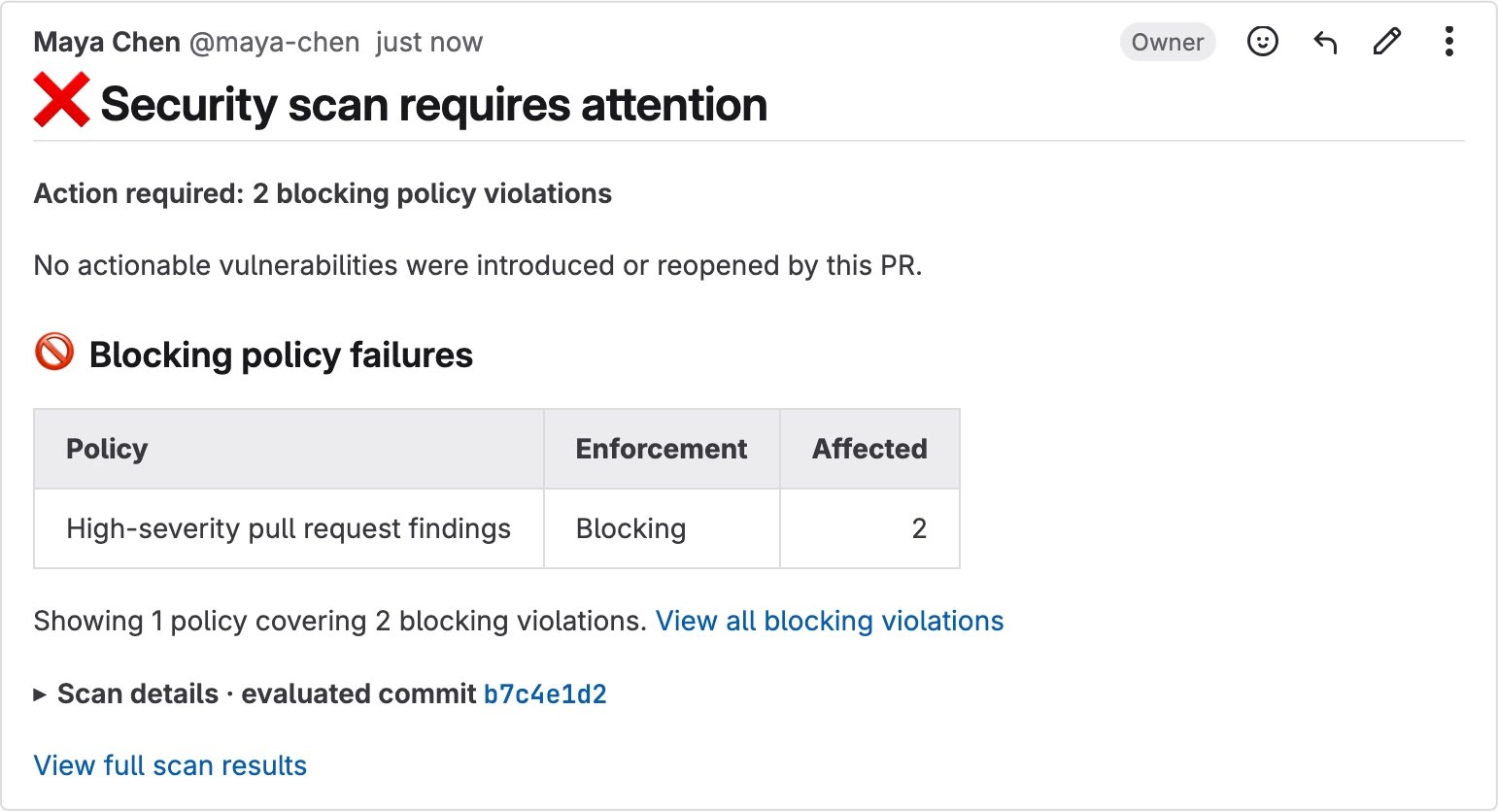
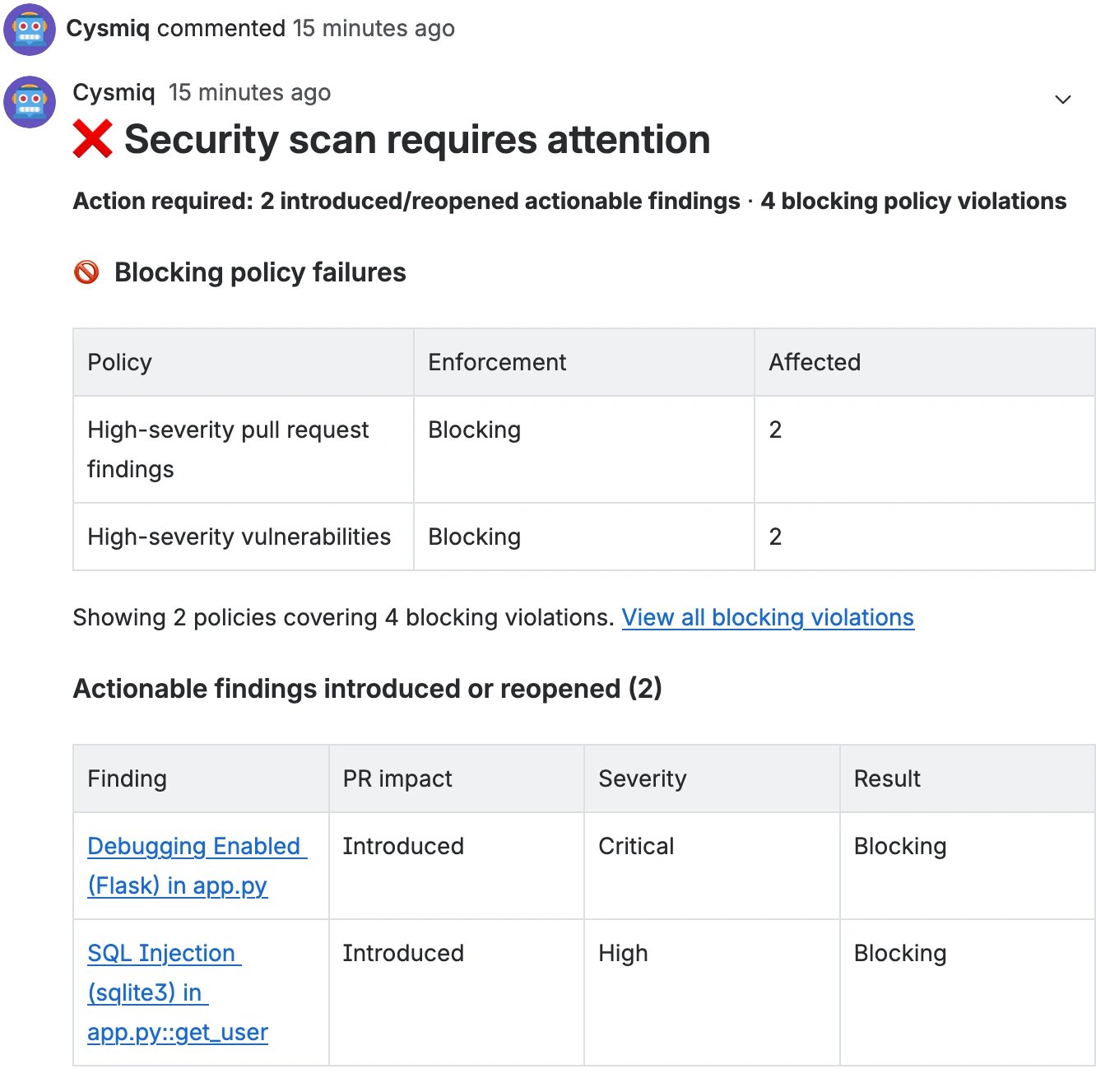
Understand Cysmiq statuses and managed comments in GitHub, GitLab, and Bitbucket Cloud.
Use the statuses and managed comment on a pull request to understand whether the
security scan completed, what changed, and whether a policy requires action.
GitHub shows three independent Cysmiq results with the other checks for the
pull request revision:
Cysmiq Scan shows whether the scan ran successfully and whether
unresolved actionable findings meet the configured blocking threshold.
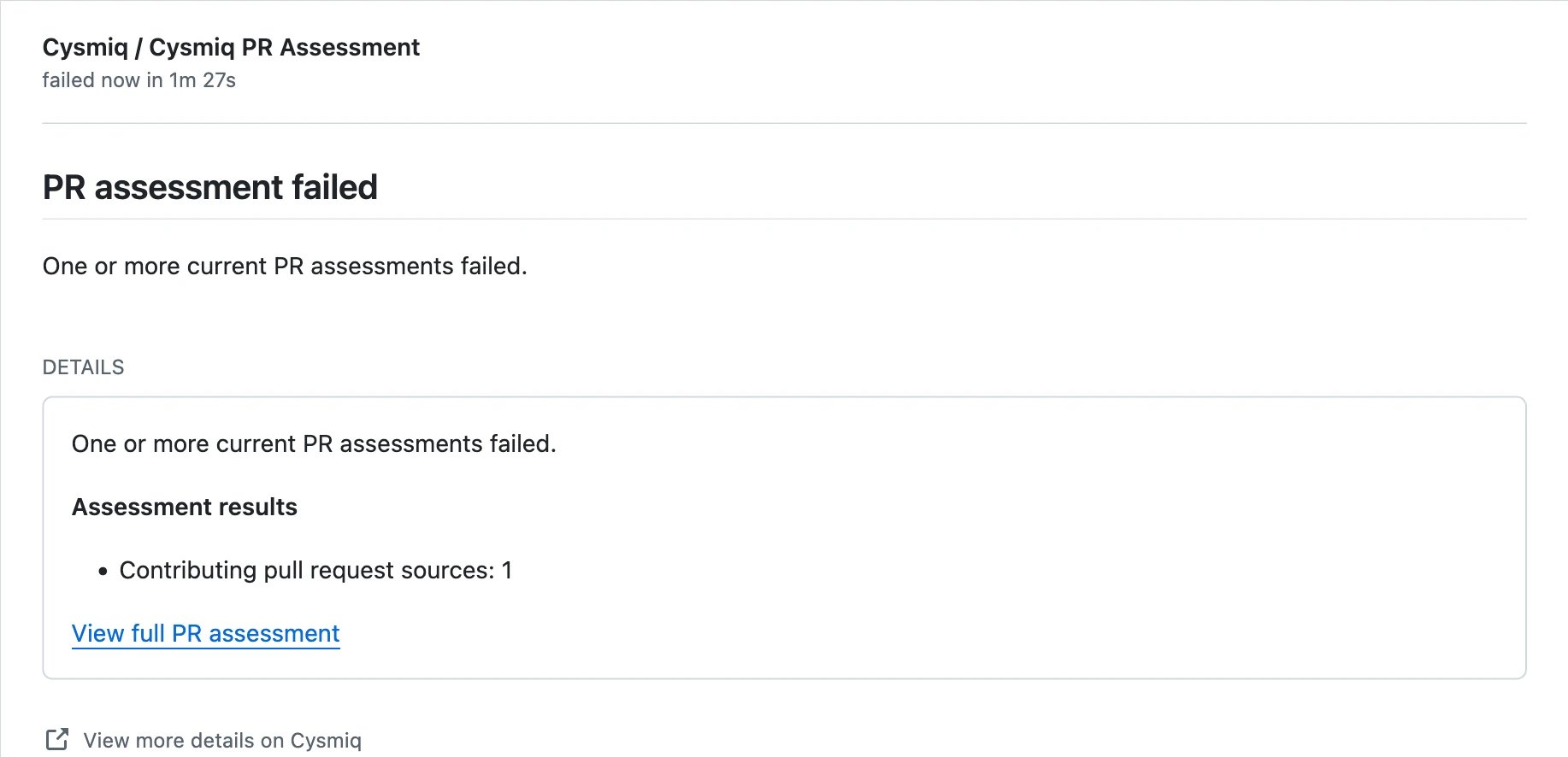
Cysmiq PR Assessment shows whether the pull request introduced,
reopened, fixed, or changed actionable findings.
Cysmiq Policies shows whether the revision has blocking or warning-only
policy violations.
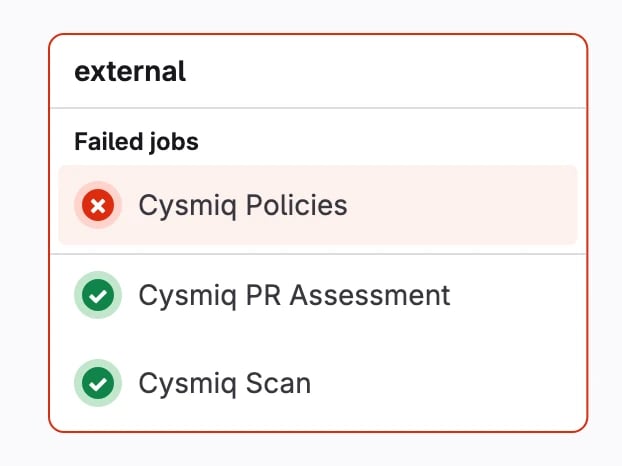
GitLab receives the same three Cysmiq results as commit statuses and
summarizes their combined outcome in the merge request pipeline area:
Cysmiq Scan shows whether the scan ran successfully and whether
unresolved actionable findings meet the configured blocking threshold.
Cysmiq PR Assessment shows whether the merge request introduced,
reopened, fixed, or changed actionable findings.
Cysmiq Policies shows whether the revision has blocking or warning-only
policy violations.
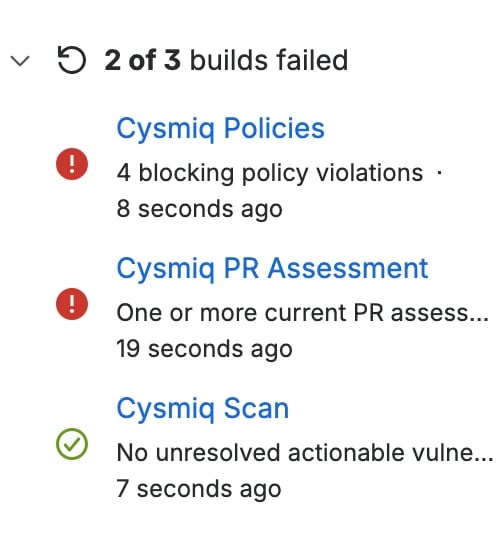
Bitbucket Cloud shows the same three Cysmiq results as build statuses on the
pull request revision:
Cysmiq Scan shows whether the scan ran successfully and whether
unresolved actionable findings meet the configured blocking threshold.
Cysmiq PR Assessment shows whether the pull request introduced,
reopened, fixed, or changed actionable findings.
Cysmiq Policies shows whether the revision has blocking or warning-only
policy violations.
A completed scan can have a failed assessment or policy result. This means the
analysis finished, while the pull request still requires attention. The VCS may
still allow the pull request to be merged unless the Cysmiq results are
configured as required checks.
Open the pull request and review the checks near the merge controls. GitHub
shows whether all checks passed or which checks require attention.Open an individual Cysmiq check when you need its complete summary and a
direct link to the matching Cysmiq result.
Open the merge request’s pipeline and review the external group. GitLab
shows the three Cysmiq commit statuses together with their individual
outcomes.
Open the pull request and review its build statuses. Bitbucket Cloud shows
each Cysmiq result and its outcome in the builds panel.
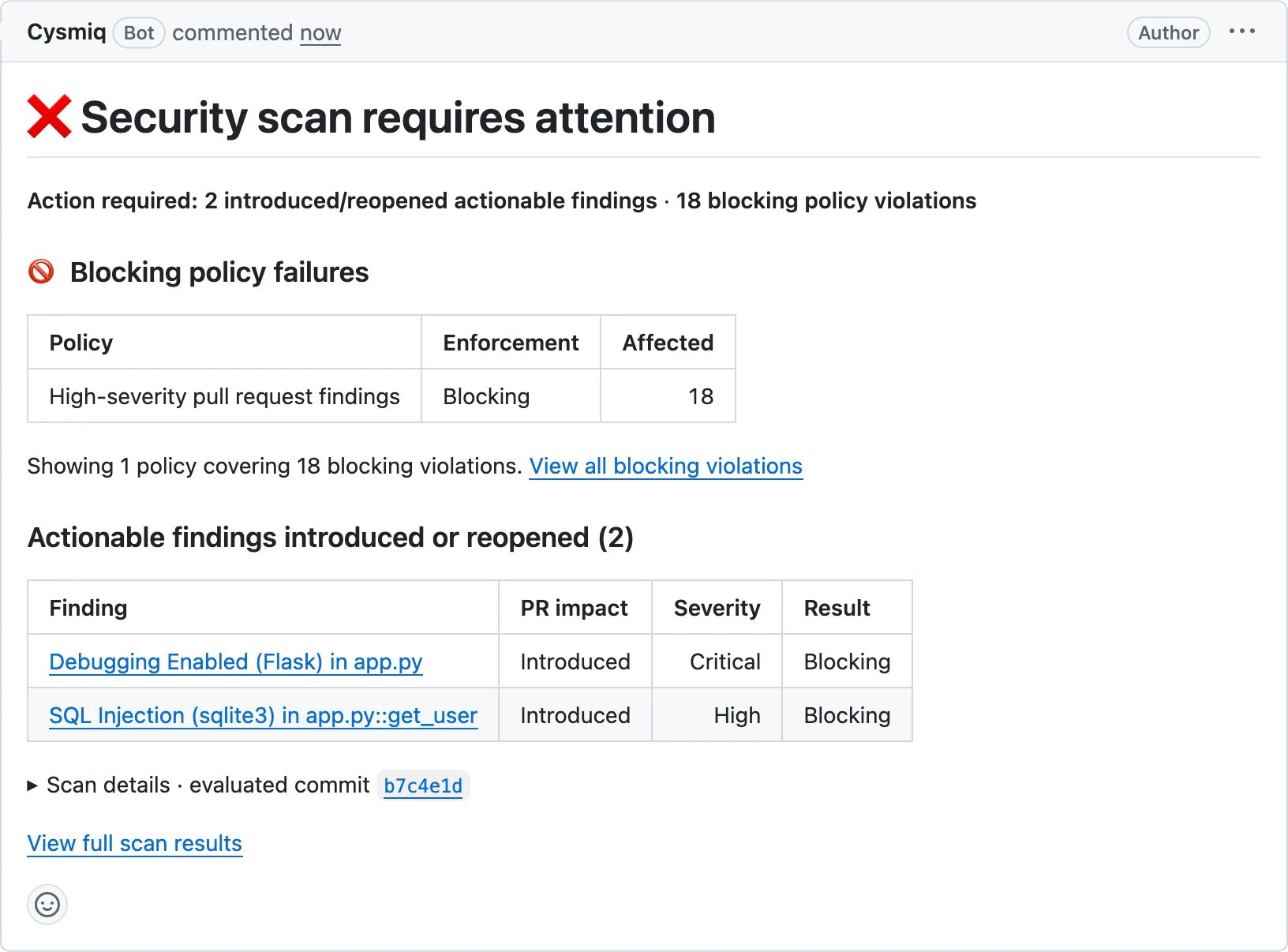
For a failed assessment or policy result, use the managed comment or status link
to open the matching scan, finding, assessment, or policy violation in Cysmiq.
Confirm that its revision matches the pull request head before remediation.For a passing result, verify that every required Cysmiq status has completed
successfully before merging.For configuration options, thresholds, and comment triggers, see
VCS status updates. For the difference between
scan status and result labels, see Scan list view.
Was this page helpful?
Assistant
Responses are generated using AI and may contain mistakes.