

Overview
Invite teammates so they can access your workspace and start collaborating.Prerequisites
- Owner role in the workspace
- A Cysmiq workspace
Steps
1
Open Members
From the left sidebar, select Members to open the Users page.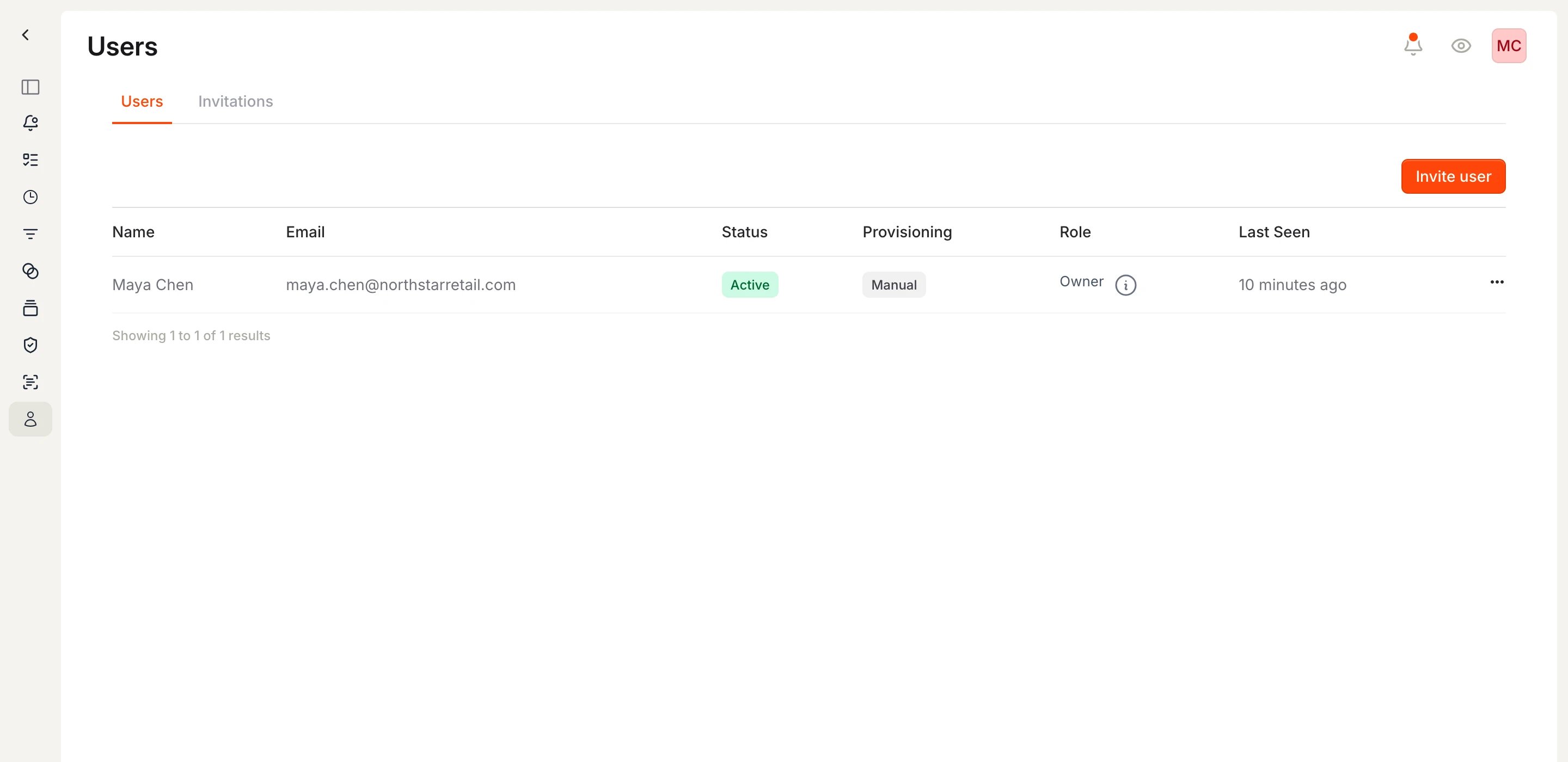
The Users page lists current members in your workspace.
2
Send an invitation
Select Invite user, enter the email address, choose a role, then select Invite Member. For role details, see Users and access.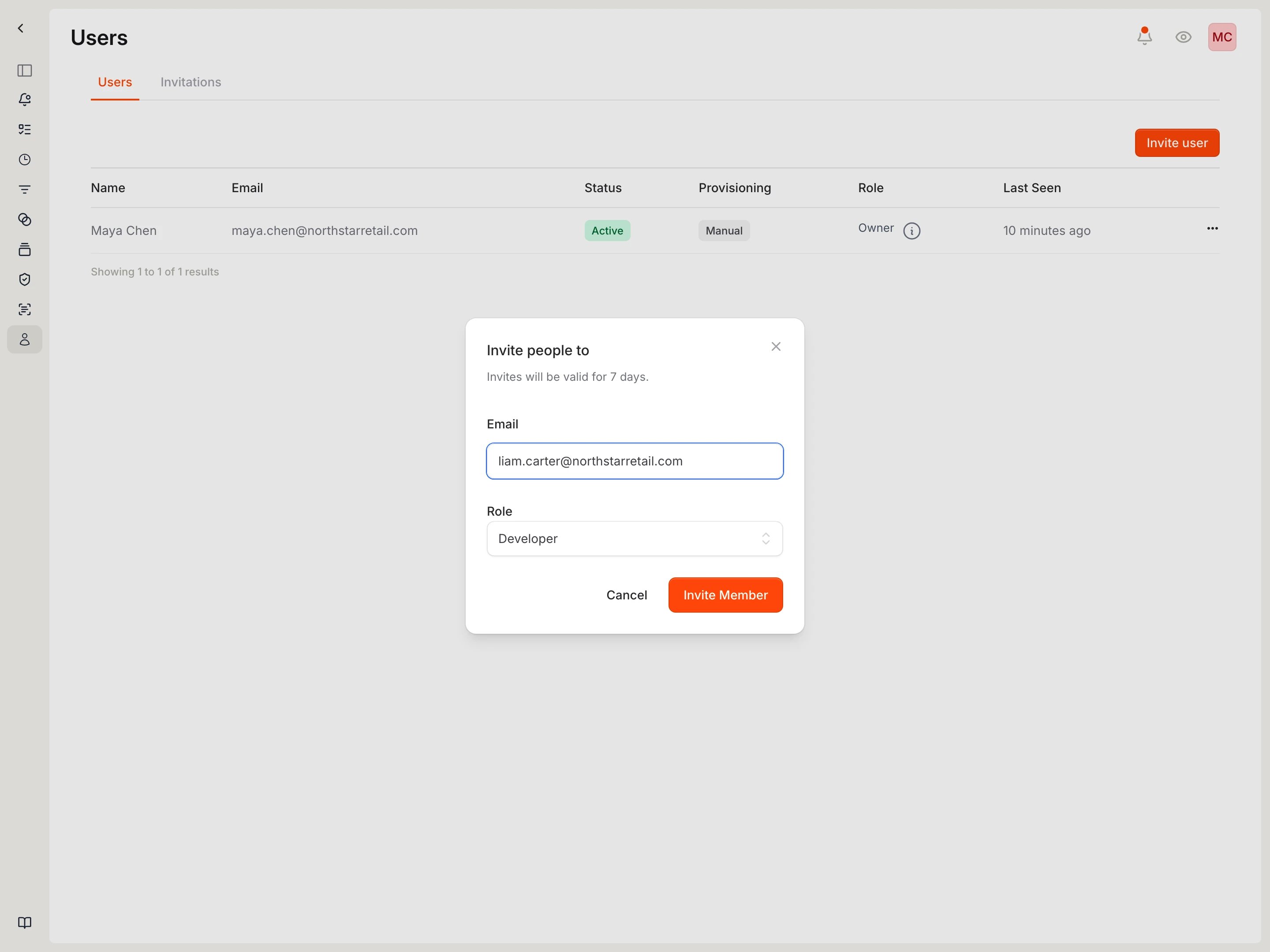
Invite a user by email and assign a role.
3
Review invitations
Open the Invitations tab to confirm pending invites.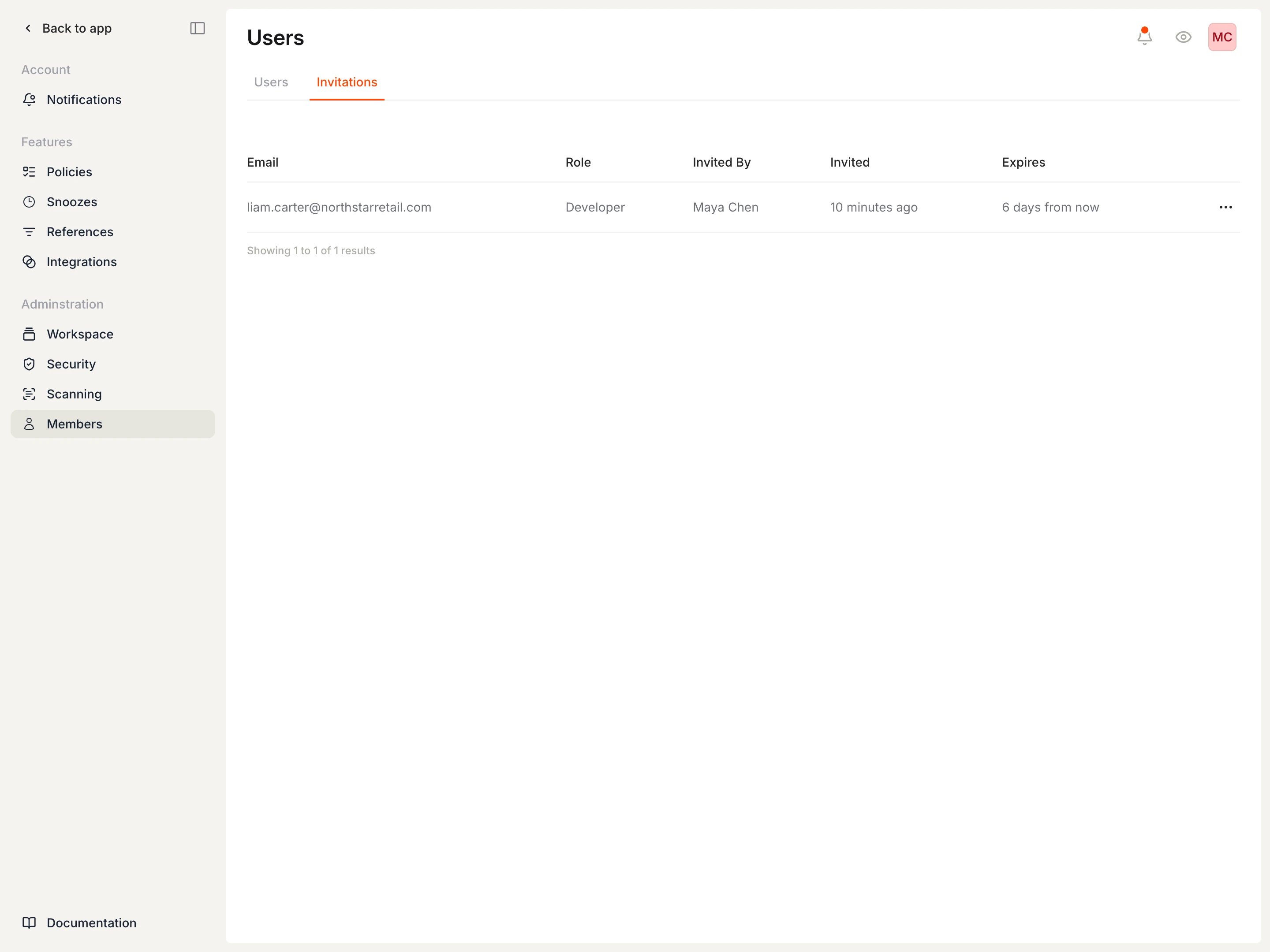
Pending invitations are listed with role, inviter, and expiry date.
4
Resend or cancel an invitation
Use the options menu (ellipsis) on the invitation row to resend or cancel an invite.
Related docs
- Manage members: Change roles, suspend members, or remove workspace access
- Users and access